The Complete Guide to Data Backup and Data Recovery in Topeka Kansas: Protecting Your Digital Life Since 2003
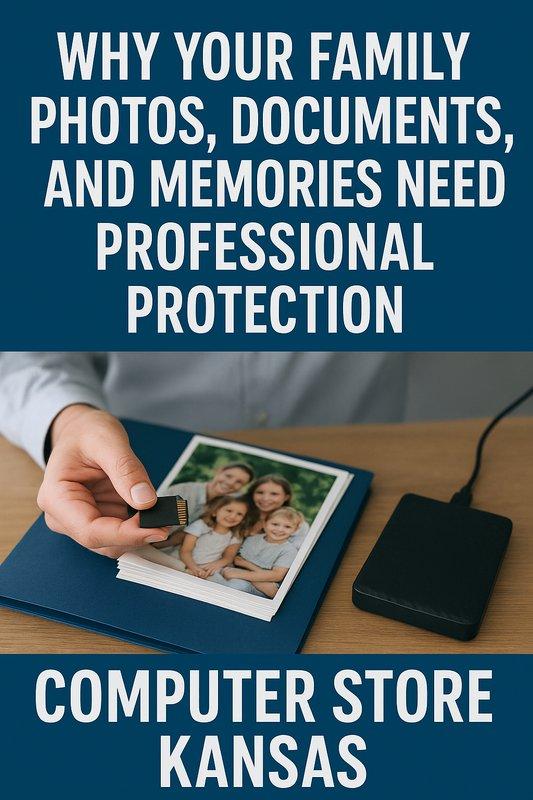
Why Your Family Photos, Documents, and Memories Need Professional Protection
When was the last time you backed up your computer? If you're like most people in Topeka, the answer is probably "never" or "I'm not sure how." At Computer Store Kansas, we've been helping families and businesses protect their irreplaceable data since 2003, and we've seen heartbreaking situations where decades of family photos, important documents, and precious memories disappeared in an instant. Whether it's a failed hard drive, accidental deletion, ransomware attack, or a coffee spill on your laptop, professional data backup and recovery services can mean the difference between losing everything and keeping your digital life intact.
Understanding Data Loss: How and Why It Happens
Hard drives and computers fail. It's not a question of "if" but "when." Understanding the risks helps you appreciate why backup matters:
Hard Drive Mechanical Failure:
Hard drives contain spinning platters and moving parts that wear out over time. The average hard drive lasts 3-5 years, but failure can happen anytime. You might hear clicking noises, grinding sounds, or the computer simply won't recognize the drive. Once mechanical failure begins, recovery becomes expensive and isn't always successful.
Solid State Drive (SSD) Failure:
While SSDs have no moving parts, they still fail. Unlike traditional hard drives that often give warning signs, SSDs can fail suddenly without any indication. One moment your computer works fine; the next, it won't boot. SSD data recovery is significantly more expensive and less successful than traditional hard drive recovery.
Accidental Deletion:
We've all done it—accidentally deleted important files or emptied the recycle bin without checking. Sometimes these files can be recovered, but often they're gone permanently, especially if you've continued using the computer after deletion.
Liquid Damage:
Coffee spills, water damage, and liquid accidents destroy computers and their data daily. While we can sometimes dry out and repair computers, data recovery from liquid-damaged drives is complicated and expensive.
Theft and Loss:
Laptops get stolen from cars, left at airports, or simply misplaced. If your only copy of important files is on that laptop, you've lost everything. Insurance might replace the computer, but your data is irreplaceable.
Ransomware and Malware:
Cybercriminals encrypt your files and demand payment for the decryption key. Even if you pay, there's no guarantee they'll provide the key. Without backups, your options are extremely limited.
Physical Damage:
Dropping a laptop, electrical surges, fire, flood, and other disasters can destroy computers and the data they contain. Natural disasters don't discriminate—they can happen to anyone.
User Error:
Accidentally formatting a drive, installing software incorrectly, or making system changes can result in data loss. Even computer-savvy users make mistakes.
The common factor in all these scenarios is that proper backup solutions make data loss recoverable. Without backups, your options become limited and expensive.
Data Backup Solutions: Protecting What Matters Most
At Computer Store Kansas, we recommend the "3-2-1 backup rule" for complete protection: three copies of your data, on two different types of media, with one copy stored offsite. Let's break down practical backup solutions:
External Hard Drive Backups:
The simplest backup method involves connecting an external hard drive to your computer. We set up automatic backup software that copies your files daily or weekly. External drives are affordable, fast, and keep your data under your physical control.
Advantages: One-time cost, no monthly fees, fast backup and recovery, complete privacy control, works without internet connection
Considerations: Drive can be stolen with computer, vulnerable to same disasters (fire, flood), requires manual connection and monitoring, drive itself can fail
Our Recommendation: 2TB or 4TB external drives from Western Digital or Seagate, with automatic backup software configured for nightly backups while you sleep.
Cloud Backup Services:
Cloud backup means your files are automatically copied to secure servers on the internet. If your computer dies, you can download everything to a new computer. Cloud services work automatically in the background without requiring you to remember anything.
Advantages: Automatic continuous protection, survives computer theft or disasters, accessible from anywhere, usually includes file versioning (recovering old versions), professional management and monitoring
Considerations: Requires reliable internet connection, monthly subscription cost, initial upload can take days depending on data amount, privacy concerns for some users
Our Recommendation: Services like Backblaze, Carbonite, or IDrive for comprehensive protection. We help you choose the right service and handle complete setup.
Network Attached Storage (NAS):
For families with multiple computers or small businesses, a NAS device acts like a personal cloud in your home or office. All computers backup to one central location automatically.
Advantages: Protects multiple computers, one-time cost, faster than internet cloud backup, keeps data under your control, can stream media to TVs and devices
Considerations: Higher initial cost, requires some technical setup, vulnerable to same location disasters, needs regular monitoring
Our Recommendation: Synology or QNAP NAS devices with automatic backup software for all household computers, configured and tested by our technicians.
Windows Built-In Backup:
Windows includes File History and backup tools that can copy your files to external drives automatically.
Advantages: Free, already included with Windows, simple setup, adequate for basic needs
Considerations: Less reliable than dedicated backup software, limited recovery options, confusing interface for some users, doesn't backup installed programs
Our Service: We configure Windows backup properly and test it to ensure it works when needed.
We'll assess your specific situation—how much data you have, what's most important to you, your budget, and your technical comfort level—and recommend the appropriate solution. Then we handle complete setup, testing, and ongoing monitoring.
Data Recovery Services: When Backup Wasn't in Place
Despite our best efforts to encourage backup, sometimes we meet customers after disaster has struck. Professional data recovery can often retrieve your files, though it's more expensive and stressful than having backups:
Failed Hard Drive Recovery:
When hard drives fail mechanically, we use specialized hardware and software to extract data. Success rates depend on failure type:
Logical Failures: Computer doesn't recognize drive but drive isn't physically damaged. Recovery success rate is typically 80-90%. Cost is moderate.
Mechanical Failures: Drive makes clicking or grinding noises. Recovery success rate varies from 50-80% depending on damage severity. Cost is higher.
Physical Damage: Drive was dropped, exposed to water, or burned. Recovery success rate is 30-60%. Cost is highest and may require cleanroom recovery services.
We perform initial diagnostics to assess recovery probability and provide honest cost estimates before proceeding. If we can't recover your data, you don't pay.
Corrupted File Repair:
Sometimes files become corrupted and won't open. We have specialized tools for repairing Microsoft Office documents, photos, videos, and other file types. Success varies depending on corruption severity.
SSD and Flash Drive Recovery:
Solid state drive recovery is more complex than traditional hard drives. We assess the situation and either handle recovery in-house or coordinate with specialized labs for severe cases.
The Honest Truth About Data Recovery:
Data recovery isn't magic. Some failures are so severe that data is unrecoverable. We provide realistic expectations and won't charge you for unsuccessful recovery attempts. However, prevention through backup is always cheaper, faster, and less stressful than recovery.
Data Transfer Services: Moving Your Digital Life
Beyond backup and recovery, we help customers transfer data between computers, upgrade to new storage, and migrate their digital lives:
Old Computer to New Computer Transfer:
When you get a new computer, we transfer everything from your old machine:
Your personal files—documents, photos, videos, music, downloads—all organized exactly as you had them. Your favorites and bookmarks from your web browser. Your email accounts and messages. Your desktop layout and personal settings.
We don't transfer programs (they need fresh installation on the new computer), but we'll help identify what programs you use and reinstall them. Most transfers are completed within 24 hours, and you get both computers back ready to use.
Hard Drive to SSD Cloning:
Upgrading from a traditional hard drive to an SSD (Solid State Drive) is the single most effective performance improvement for aging computers. We clone your entire drive—operating system, programs, files, settings—to the faster SSD. When we're done, your computer boots in seconds instead of minutes, programs open instantly, and everything feels brand new. You don't have to reinstall anything or change how you work.
Cloud Storage Setup and Organization:
Many customers have files scattered across their computer, phone, tablet, and old computers. We help consolidate everything into organized cloud storage (Google Drive, OneDrive, or Dropbox) so you can access your files from any device. We also set up automatic syncing so future files are always backed up and accessible.
Phone and Tablet Backup:
Your phone contains thousands of photos and important information. We help set up automatic backup to cloud services so your photos are safe even if you lose or break your phone. We also assist with transferring contacts, photos, and data when you get a new phone.
Special Considerations for Seniors and Retirees in Topeka Kansas
We work with many senior customers in Topeka who have unique needs and concerns about technology. Our approach focuses on simplicity, reliability, and peace of mind:
Simplified Backup Solutions:
We set up automatic backup that requires nothing from you. Your computer backs up automatically while you use it or sleep. We monitor the backup and let you know if any problems occur. You don't need to remember anything or do anything technical.
Photo Preservation Projects:
Many seniors have boxes of old photos they want to preserve digitally. While we can scan photos ourselves, we can recommend local services and then organize, backup, and store your digitized photos safely. We can also create photo books, organize photos by year or event, and set up easy viewing on your TV.
Important Document Scanning and Storage:
Wills, medical records, insurance policies, and other important documents should be digitally backed up. We help organize these documents securely with appropriate password protection and multiple backup copies.
Easy Access from Multiple Devices:
We set up your photos and documents so you can access them from your computer, tablet, or phone. Share photos with family members easily. Show grandkids photos on your tablet during visits.
Training and Support:
We take time to explain how your backup works in plain language. We're always available to answer questions. Our Silver Plan members get help desk support whenever they need reassurance or assistance.
Peace of Mind:
Many senior customers tell us their biggest fear is losing family photos and memories. Our backup solutions provide confidence that your lifetime of memories is protected. You can focus on enjoying your photos and files rather than worrying about losing them.
Business Data Backup and Recovery Solutions
Small businesses in Topeka Kansas need reliable data protection. Customer information, financial records, and business documents are critical to operations:
Our Business Services:
We work with Topeka area businesses to design appropriate backup solutions. Priority service gets you back in business quickly. Pickup and delivery service available. After-hours support for emergencies. Our Silver Plan for businesses includes regular monitoring and maintenance.
The cost of proper backup is minimal compared to the cost of lost business data. We've seen businesses unable to operate for weeks after data loss—lost revenue, customer frustration, and stress that could have been prevented.
The Silver Plan: Complete Protection and Peace of Mind
Our most popular solution for ongoing data protection is the Silver Plan at $24.99/month. This comprehensive service includes:
Automatic Backup Monitoring: We monitor your backup system to ensure it's working properly. If problems occur, we contact you before data loss happens.
Cloud Backup Service: Professional-grade cloud backup included, protecting your files automatically and continuously.
Priority Data Recovery: If disaster strikes, Silver Plan members get expedited service with no diagnostic fees.
Quarterly System Maintenance: Regular computer checkups including backup verification, security updates, and performance optimization.
Help Desk Support: Call us anytime with questions about your backup, computer problems, or technical concerns.
Free Software Assistance: Help installing programs, setting up new devices, or configuring software included.
Computer Protection: Professional antivirus and security monitoring included.
Preventive Care: Regular maintenance prevents problems before they cause data loss.
For one low monthly fee, you get complete peace of mind knowing your data is protected and your computer is maintained by professionals. Many customers tell us the Silver Plan is the best value in our entire service menu.
Beyond Backup: Our Complete Computer Services
Data backup and recovery are essential services, but Computer Store Kansas offers comprehensive solutions for all your technology needs:
Computer Repair and Diagnostics: Desktop and laptop repair, hardware troubleshooting, component replacement, and complete computer diagnostics to identify any problem.
Performance Upgrades: SSD installations for dramatic speed improvements, RAM upgrades for better multitasking, and graphics card installations for gaming or video editing.
Virus and Malware Removal: Professional virus removal services, complete system cleaning, security configuration, and protection against future threats.
Custom PC Building: Gaming computers built to your specifications, business workstations, and budget-friendly systems for everyday use.
Operating System Services: Windows 10 or Windows 11 installation, system optimization, Windows debloat services, and driver updates.
Hardware Repair: Screen replacement, keyboard repair, battery replacement, charging port repair, and all hardware issues addressed.
Refurbished Computer Sales: Quality refurbished desktops perfect for budget-conscious customers, students, or secondary computers. Currently offering 10% off during our Black Friday Sale (Nov 17 - Jan 1)!
Partner Services: Console repairs (PlayStation, Xbox, Nintendo) and phone/tablet repairs available through experienced technicians working from our location.
Common Data Backup Questions from Topeka Customers
How long does backup take?
Initial backup can take 24-72 hours depending on how much data you have. After the first backup, subsequent backups are quick because only new or changed files need copying. Cloud backups run automatically in the background without interfering with your computer use.
What if I have old computers with data on them?
We can extract data from old computers (even ones that don't turn on) and consolidate everything onto your current computer or into cloud storage. This is a popular service for customers who have files scattered across multiple old computers.
Can you backup my phone photos?
While we don't directly backup phones, we help set up automatic phone backup to cloud services (iCloud, Google Photos, OneDrive). We also transfer phone photos to your computer and include them in your computer backup solution.
Is cloud backup safe and private?
Reputable cloud backup services use encryption to protect your data during transfer and storage. Files are secured so even the backup company can't access them. We only recommend services with strong privacy practices and security. For customers with extreme privacy concerns, local-only backup solutions are available.
What happens to my backup if I get a new computer?
Cloud backups make transitioning to new computers easy—just install the backup software on your new computer and download your files. For external drive backups, we transfer everything during our computer setup service. Your backup solution continues protecting your new computer.
How do I know my backup is working?
We test all backup solutions before considering setup complete. Cloud backup services typically email confirmation after each successful backup. Our Silver Plan includes monitoring—we verify your backup is working properly and contact you if issues develop.
Why Choose Computer Store Kansas for Data Protection
Experience You Can Trust:
In business since 2003, serving Topeka Kansas for over 20 years, we've helped thousands of customers protect their data. Our 5.0 star Google rating reflects our commitment to quality service. We're the oldest locally owned professional computer store in Topeka with certified technicians who have 40+ years combined experience.
Honest Guidance:
Our non-commissioned sales team provides recommendations based on your actual needs, not our profit margins. If you need simple backup, we won't sell you expensive solutions. If you need comprehensive protection, we'll explain why and help you understand the value.
Complete Solutions:
We handle everything—from helping you choose the right backup solution, to purchasing equipment, to complete setup and testing, to ongoing monitoring. You don't need to become a technology expert. We make data protection simple.
Local Accountability:
We're your neighbors in Topeka. We live and work in this community. Your data is precious, and we treat it with the respect it deserves. When you call, you talk to the same people who set up your backup. We're here for the long term.
Ongoing Support:
Technology changes and questions arise. We're always available to help. Our Silver Plan members get priority support and regular maintenance. Even customers without service plans can call us with questions.
Take Action Today: Don't Wait Until It's Too Late
If you're reading this, you're probably concerned about your data but haven't acted yet. We understand—backup seems like something you can do "later" until disaster strikes. Here's our advice:
Act now while everything works. Don't wait for failure. Data recovery is expensive, stressful, and not always successful. Backup is affordable insurance for your digital life.
Start with something, even if it's not perfect. A simple external hard drive backup is infinitely better than no backup at all. We can upgrade your solution later.
Protect what matters most first. If you have limited budget, start by protecting your photos and important documents. We can expand protection to everything else later.
Think about your family. Your photos and memories aren't just important to you. Family members would be devastated if you lost photos of children, grandchildren, vacations, and special moments.
Consider the peace of mind. How much is it worth to know your photos are safe? To sleep soundly knowing your important documents are protected? Most customers tell us their backup solution is among the best investments they've made.
Location and Contact: Data Backup Services in Topeka Kansas
Computer Store Kansas is conveniently located on SW Gage Blvd in Topeka, making it easy to stop by and discuss your data protection needs:
Computer Store Kansas
2008 SW Gage Blvd
Topeka, KS 66604
Contact Information:
Phone: 785-267-3223
Website: thecomputerstoreks.com
Store Hours:
Monday: 10AM–6PM
Tuesday: 10AM–6PM
Wednesday: 10AM–6PM
Thursday: 10AM–6PM
Friday: 10AM–6PM
Saturday: 10AM–2PM
Sunday: Closed
Visit Us Today:
Stop by our store to discuss your backup needs. No appointment necessary—we welcome walk-ins. Bring your computer if you'd like us to assess your current backup situation. Most consultations take 15-20 minutes, and we'll provide honest recommendations based on your specific situation.
Ready to Protect Your Digital Life?
Whether you need data backup solutions, data recovery services, data transfer assistance, or complete computer protection, Computer Store Kansas has served Topeka Kansas since 2003 with honest, professional service.
Why Choose Us for Data Protection:
1. 20+ Years Protecting Topeka's Data: Established 2003, thousands of customers protected
2. Simple Solutions: We make backup easy, even for non-technical customers
3. Complete Service: From recommendation through setup, testing, and monitoring
4. Honest Pricing: Affordable solutions that fit your budget and needs
5. Silver Plan Available: Comprehensive protection at $24.99/month
6. Data Recovery Expertise: Professional recovery services when backup wasn't in place
7. Local Family Business: We're your neighbors, committed to our community
8. Peace of Mind: Sleep soundly knowing your memories are protected
Contact Us Today:
* Phone: 785-267-3223 for friendly assistance
* Visit: 2008 SW Gage Blvd, Topeka, KS 66604
* Website: thecomputerstoreks.com for more information
Current Promotions:
* Free backup consultation and recommendations
* Silver Plan comprehensive protection at $24.99/month
* Black Friday Sale - 10% Off All Refurbished Computers (Nov 17 - Jan 1)
What Our Customers Say
Our 5.0 star Google rating reflects our commitment to protecting what matters most:
Recent Reviews:
"Signing up for a Computer Protection Plan from The Computer Store was the best decision I've made in years. My computer has never run better!" - Kristina Jones, November 2024
"Not only did The Computer Store fix my problem a lot faster than the big box store, they did so at just under half the cost. Highly recommend!" - Matt Thompson, October 2024
"The technician managed to recover all my data from a failed hard drive. Saved me a lot of headache and money — thank you Computer Store!" - Andrew Davis, September 2024
Your Memories Deserve Protection
Your computer contains irreplaceable memories—family photos spanning decades, important documents, creative projects, business records, and digital files that tell your life story. Hard drives fail. Computers crash. Accidents happen. But data loss is preventable.
Computer Store Kansas has protected Topeka's digital memories since 2003. We understand that your files aren't just data—they're your life's work, your family's history, and your most precious memories. Whether you need simple backup solutions or comprehensive data protection, we're here to help with honest guidance, professional service, and local accountability.
Don't wait for disaster to strike. Protect your digital life today. Your future self will thank you.
Remember: Computer Store Kansas combines professional expertise, simple solutions, and personal service to deliver the data protection you need in Topeka Kansas.
---
Computer Store Kansas - Professional Data Backup & Recovery Services in Topeka Since 2003
2008 SW Gage Blvd, Topeka, KS 66604 | 785-267-3223 | thecomputerstoreks.com
Data Protection Services: Data Backup Solutions | Cloud Backup Setup | External Hard Drive Backup | Data Recovery | Failed Hard Drive Recovery | Data Transfer Services | Computer to Computer Transfer | Hard Drive Cloning | SSD Upgrade and Transfer | Photo Preservation | Document Organization | Email Backup
Complete Computer Services: Computer Repair | Laptop Repair | Virus Removal | Computer Diagnostics | Hardware Upgrades | SSD Installation | Custom PC Building | Windows Installation | System Optimization | Refurbished Computer Sales
Silver Plan: $24.99/month | Cloud Backup Included | Backup Monitoring | Priority Recovery | Computer Protection | Help Desk Support | Preventive Maintenance
Serving Topeka Kansas and surrounding areas with professional data protection since 2003
Locally Owned | Family Business | Non-Commissioned Team | 40+ Years Combined Experience | 5.0 Google Rating
Black Friday Sale: 10% Off All Refurbished Computers (Nov 17 - Jan 1)